Common Errors and Troubleshooting
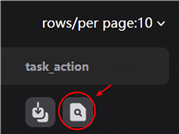
If a task terminates unexpectedly or produces an empty result, open Task Actions and click the magnifying-glass icon to view its run log. Use the messages in the log to identify the problem and follow the corresponding solution below.
!!!!!! csv not found
Cause: The names of the .mzXML and .csv files do not match.
Solution: When running a task on the website, the filename of each .mzXML file must match the filename of its corresponding .csv file exactly, including uppercase and lowercase letters. Each .mzXML file must have a .csv file with the same base filename. The contents of the .csv files may be identical.
For example:
| mzXML file | Corresponding CSV file |
|---|---|
Sample01.mzXML |
Sample01.csv |
control_A.mzXML |
control_A.csv |
The required .csv files can be generated with the FUNEL module. From the resulting FilteredList.csv, retain only the rt and mz columns, then save a copy for each .mzXML file using the matching filename described above.
TensorFlow checkpoint warnings
The log may contain a message such as:
WARNING:tensorflow:Value in checkpoint could not be found in the restored object: (root).optimizer._variables.256
This is a warning, not the error that caused the task to fail. Scroll further up in the run log to find the actual error message and troubleshoot that earlier error instead.
The behavior of DataFrame concatenation with empty or all-NA entries is deprecated.
Cause: All peaks in the original .mzXML data were removed during filtering, leaving no peaks for subsequent analysis.
Solution: Check the source .mzXML file and review the filtering parameters. Adjust overly restrictive thresholds or other filtering settings, if appropriate, so that valid peaks remain after filtering, and then rerun the task.
Errors containing milvus
Cause: If an error message contains milvus, the server may currently be overloaded. Milvus will usually restart within 15 minutes.
Solution: Wait 30 minutes and then retry the task. If this type of error occurs repeatedly, reduce the number of peaks contained in each .mzXML file before submitting the task again.
Still need help?
If none of the solutions above resolves the problem, send the complete log file to NPCompass@163.com for assistance.